Unread: An RSS Reader
Rediscover the joy of reading your favorite writers with Unread.
Unread is an RSS reader with beautiful typography, comfortable gesture-based navigation, and a variety of color themes. Available for iPhone and iPad.
A beta version for macOS is also available.
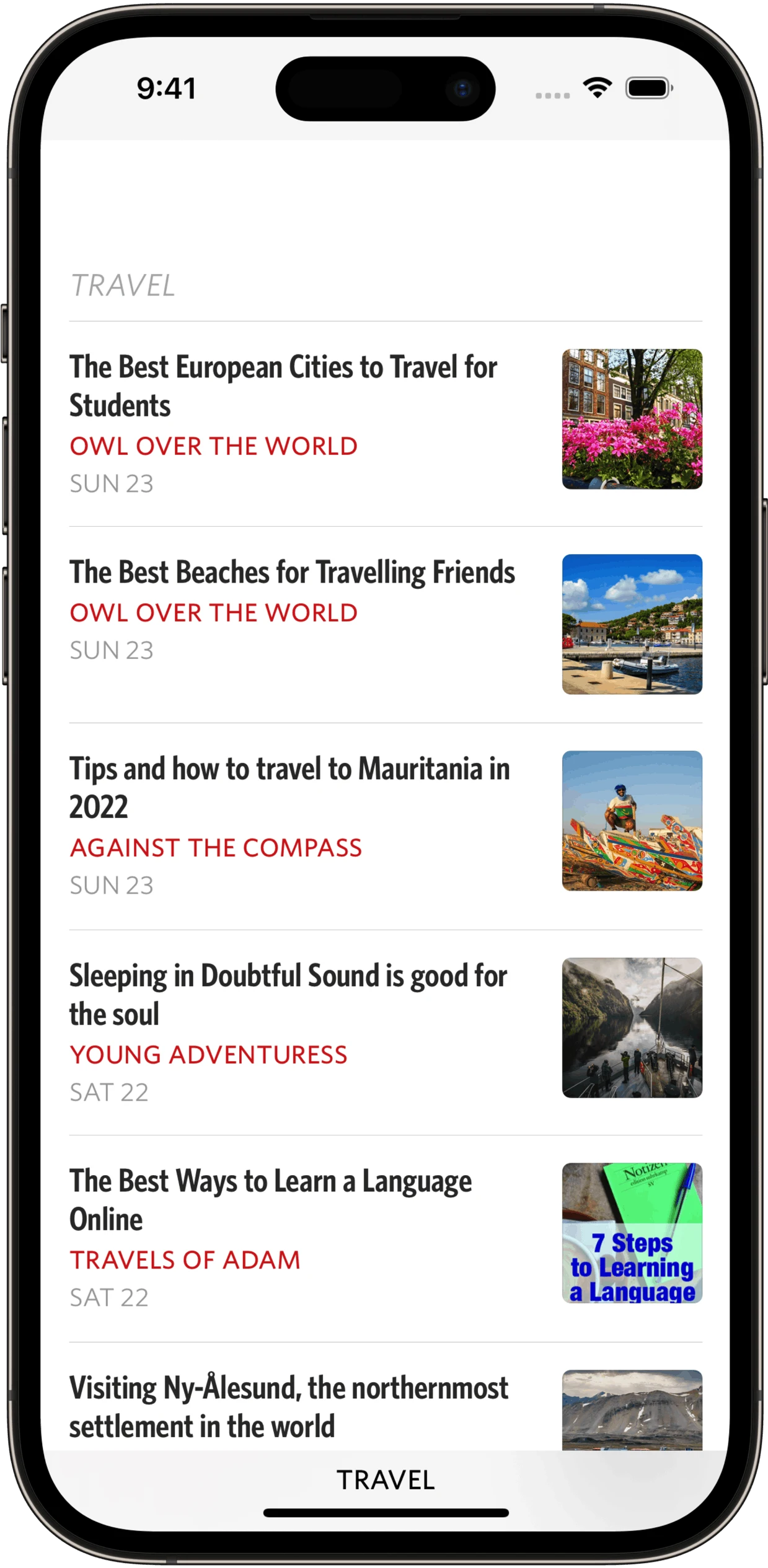
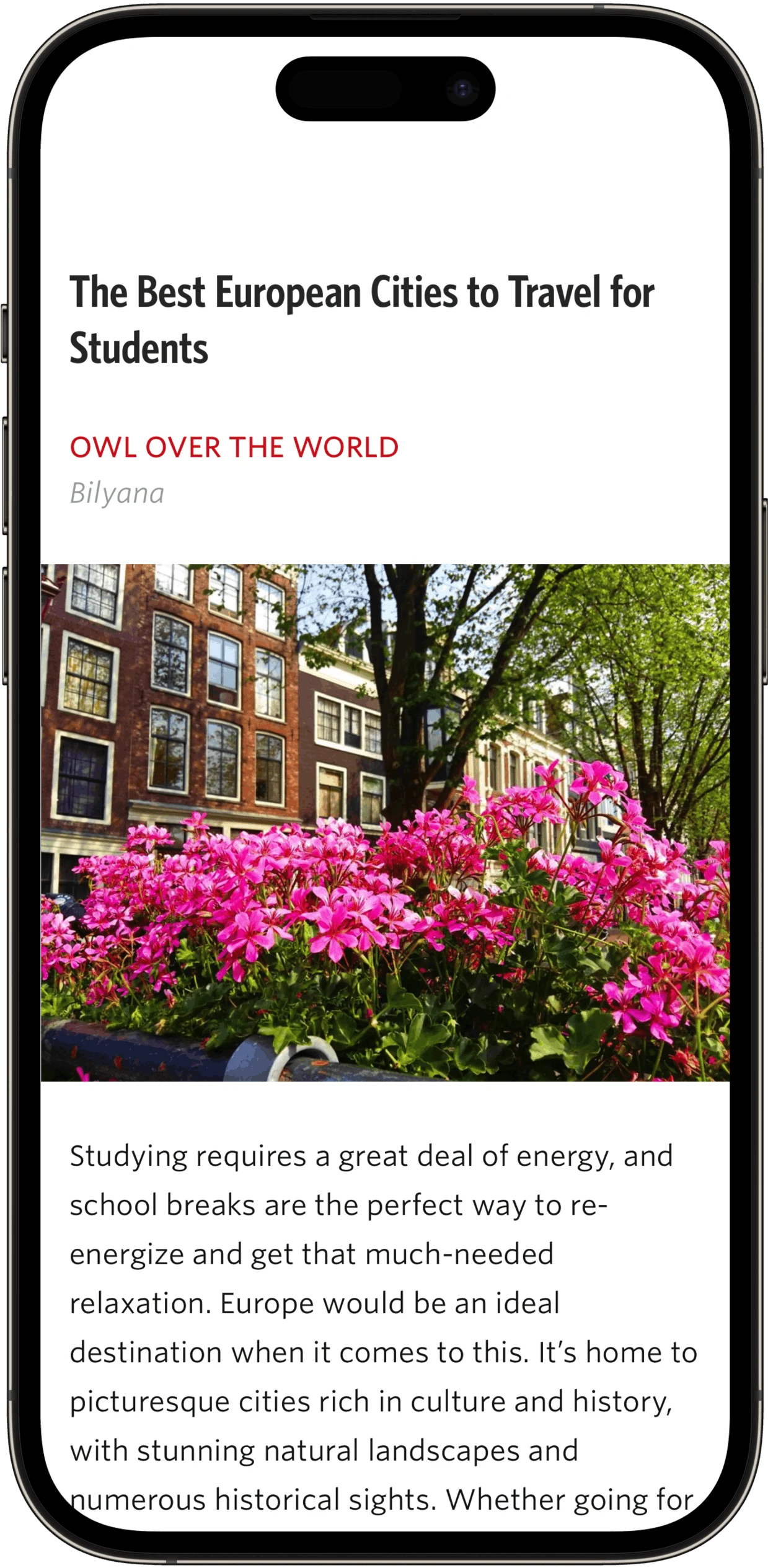
Syncing: Unread Cloud is our free service for keeping Unread in sync on multiple devices. Create or log in to an Unread Cloud account using Sign in with Apple. Unread also supports syncing with Feedbin, Feedly, Fever-compatible, Inoreader, and NewsBlur accounts. Unread also has Local accounts.
Automatic Webpage Text: Unread knows which feeds contain only article summaries. If a feed contains just article summaries, Unread will retrieve and display the full text from the webpage. Unread also caches webpage text and images ahead of time for fast offline access.
Subscribe in Unread: This share sheet extension makes it easy to subscribe to feeds offered by a website when visiting with Safari, Chrome, Firefox, or any other web browser.
Save to Unread: This share sheet extension creates an article in Unread from the webpage you are visiting with Safari, Chrome, Firefox, or any other web browser.
Home Screen Widgets: An Articles widget lets you view the most recent articles. You can limit the articles to a specific folder or subscription. An Unread Counts widget shows counts of unread articles by subscription or folder. A single Unread Count widget shows the number of unread articles in your account, in a specific folder, or in a specific subscription.
Color Themes: Like to read in bed? Don’t strain your eyes or wake your partner with glaring white light. Unread has multiple themes designed for easy reading under different lighting conditions. You can select one theme for light mode and another for dark mode.
Keyboard and Trackpad Support: Unread lets you navigate and perform almost every operation with an external keyboard such as the Magic Keyboard and the Smart Keyboard Folio. Unread also has full support for trackpads and mice.
Search: Unread has great search capabilities. Search for an article with specific terms from any article list. Search for a specific subscription from any list of subscriptions.
Link Article Support: For Link Articles such as those from Daring Fireball, Unread shows the full text of both the link article and the quoted article.
On the iPhone I use an app called Unread. … If you ever use the Clear app for your to-dos or shopping lists where it’s very opinionated, very limited, and very gesture-based, it’s kind of like that for RSS readers. And I like that a lot on the phone. I have a lot of muscle memory there, and I enjoy the design of it quite a bit.
— Marco Arment, Accidental Tech Podcast
What makes us such huge fans of Unread is the fact that it is a good, old-fashioned RSS reader in the mold of the early App Store days. It gets you to the content you want and immediately gets out of the way so that you can do what you went there to do: read words.
— Oliver Haslam, How-To Geek
Unread carries a strong history as one of the top RSS clients on iOS, and version 2 ensures that will remain true for a long while yet.
— Ryan Christoffel, MacStories
Unread is focused on eliminating chrome — it is a pure reading app. It’s like reader mode all the time, and the assortment of color themes is nicely curated.
— John Gruber, Daring Fireball
Unread is a great RSS app that has killer Widgets that dazzle on any home screen. Unread’s Widgets can show you how many unread posts you have waiting for you from your favorite blogs or the Widget can show you a quick list of your subscriptions.
— Josh Ginter, The Sweet Setup
Although the overall look and feel remains the same, Unread 2 is a significant update that’s well worth the annual subscription, especially for iPad owners.
— J.R. Bookwalter, Macworld
Unread Subscription
Unread’s core functionality is free. A subscription is available that unlocks premium features:
Caching: Cache webpage text and images ahead of time.
Save to Unread: A share sheet extension that creates an article in Unread from the webpage you are visiting with Safari, Chrome, Firefox, or any other web browser.
Custom App Icons: Unread offers one app icon option corresponding to each theme.
Article Actions: Unread’s article actions let you save articles to Instapaper, Pinboard, Pocket, Raindrop.io, Readwise, and Safari Reading List; share article links via email; and share article links via iMessage.
Widget Customization: Limit articles or unread article counts shown by widgets to specific feeds or folders.
Premium Support: Paying customers get first class customer support.
Unread has a privacy policy that respects our customers. We maintain a press kit for anyone interested in writing about Unread.