Unread makes it easy to copy feed subscriptions from a Fever account to an Unread Cloud account or to a Local account.
When Creating a New Unread Cloud or Local Account
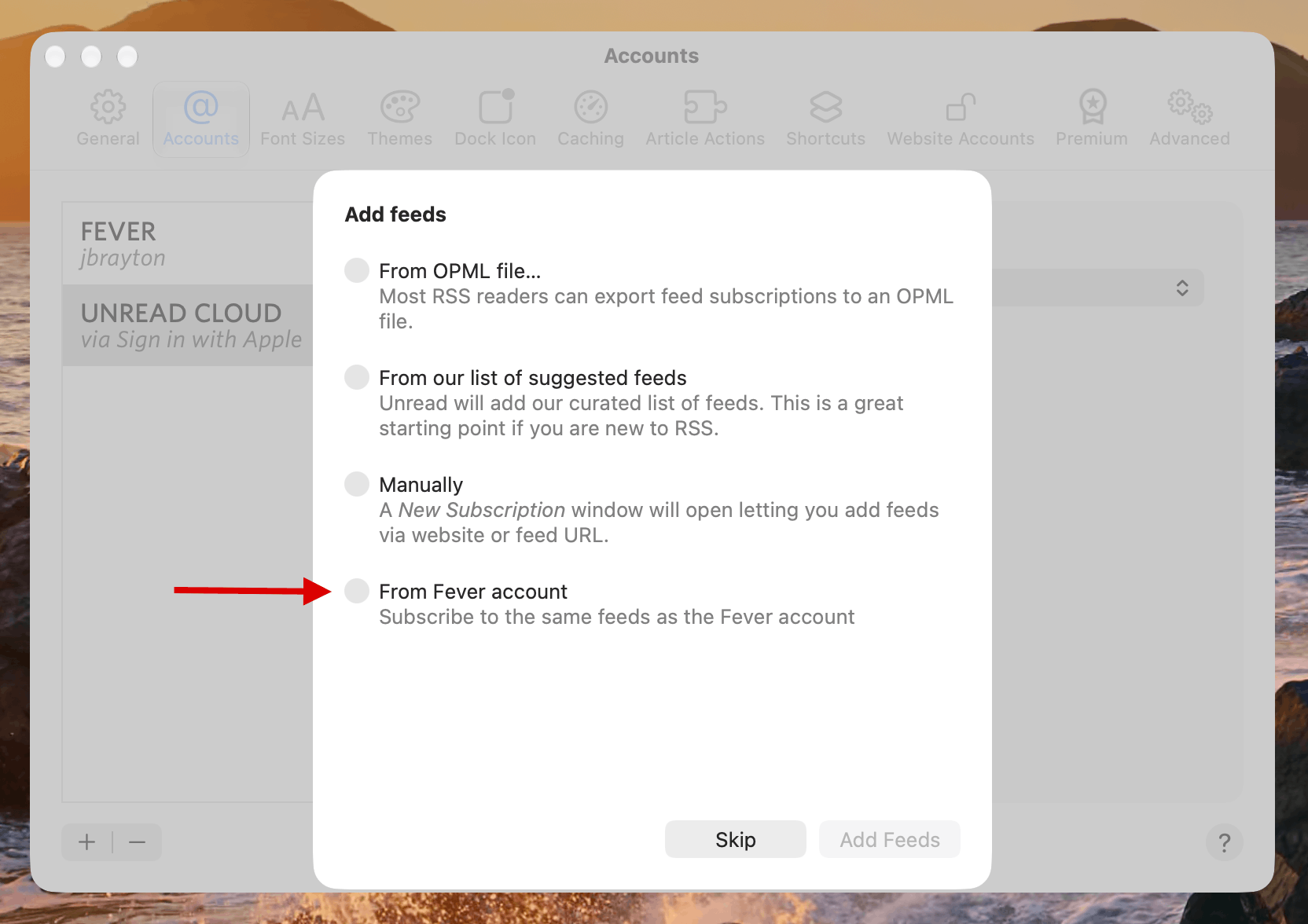
If Unread has a Fever account when you create a new Unread Cloud or Local account, Unread offers to subscribe to the same feeds.
When Adding to an Existing Unread Cloud or Local Account
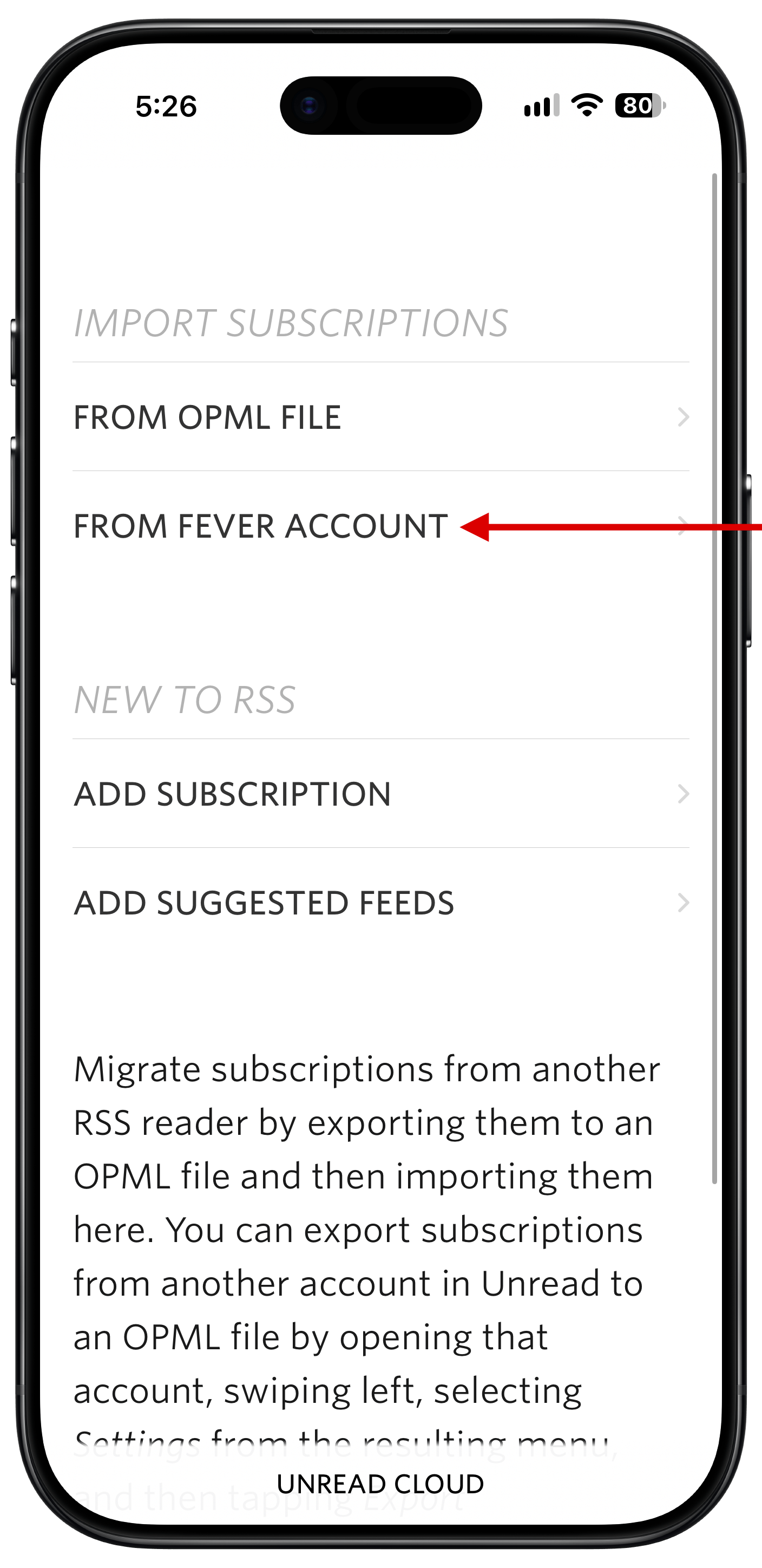
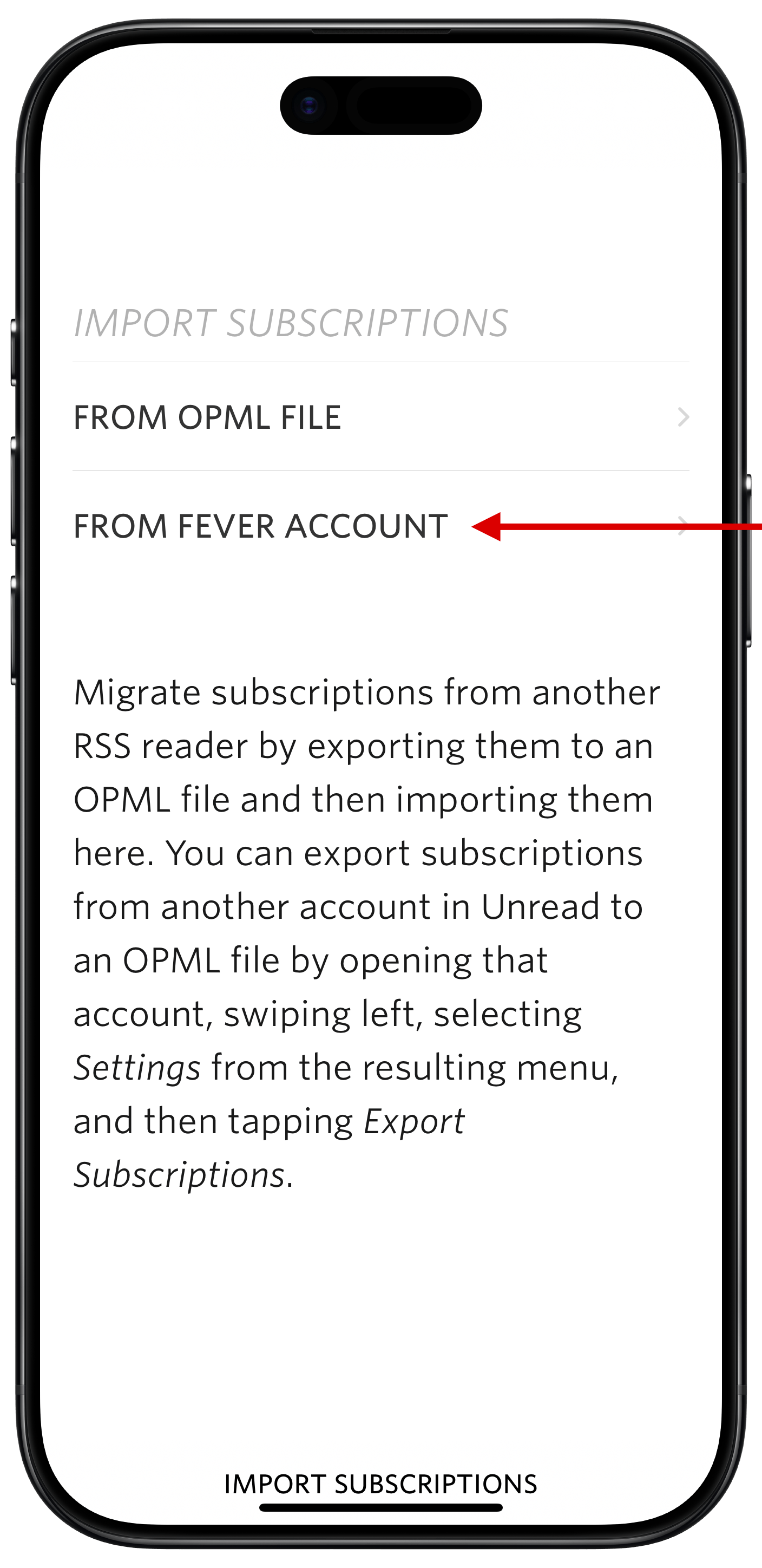
On iPhone or iPad, when Unread has both a Fever account and an Unread Cloud or Local account, you can copy feed subscriptions from the Fever account to the Unread Cloud or Local account as follows:
- Open the Settings screen.
- Scroll down to the Account Settings section, and tap the Unread Cloud or Local account to which you want to copy feed subscriptions.
- On the settings screen for the specific account, find the Import and Export section, and tap Import Subscriptions.
- On the Import Subscriptions screen, tap From Fever Account.
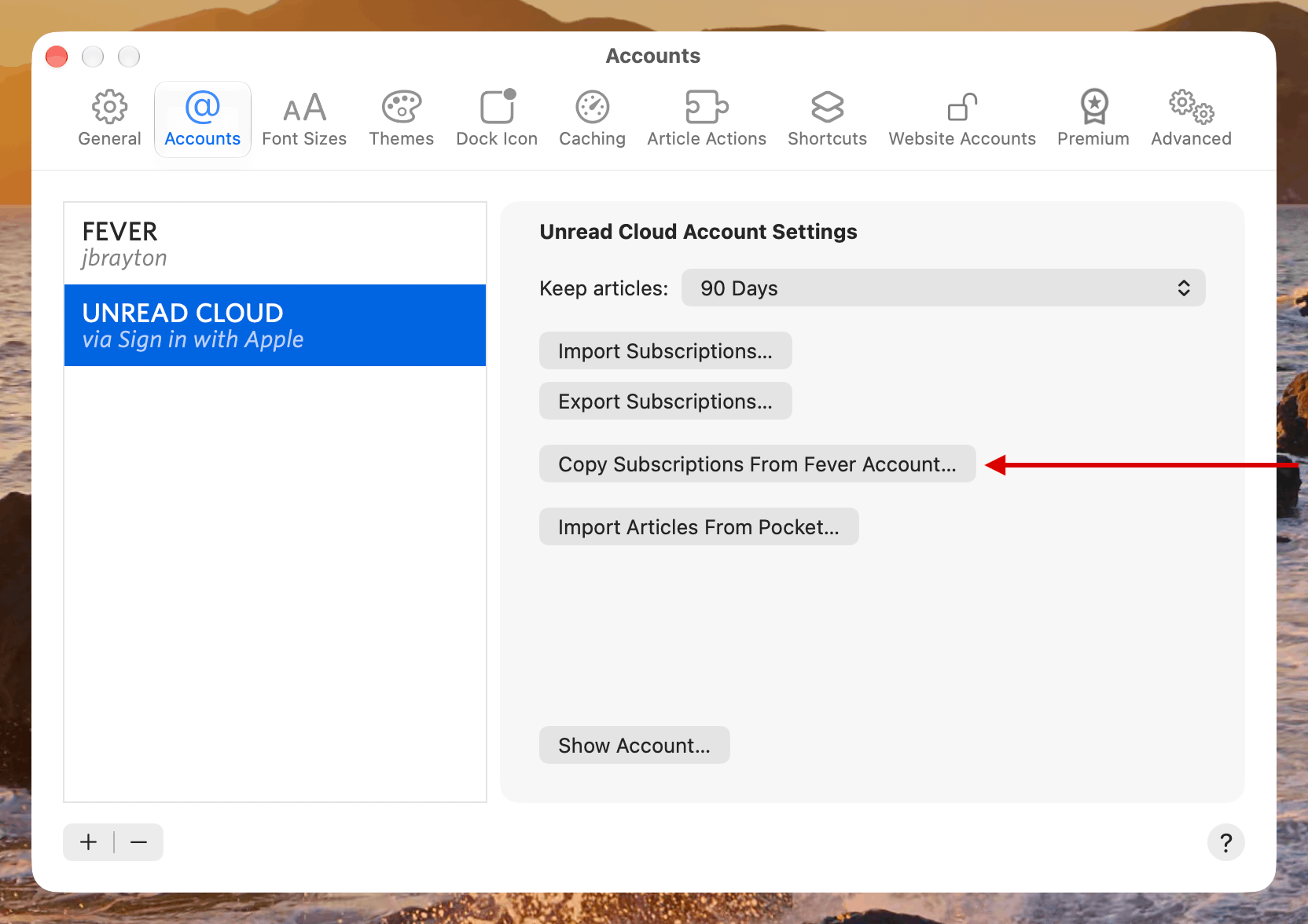
On Mac, choose the Unread Cloud or Local account in the Accounts pane of the Settings window, and then click the Copy Subscriptions From Fever Account button.
Notes
These mechanisms will copy feed subscriptions: feed URLs, feed titles, and the associated tags. They will also copy each feed’s settings for whether to show feed text or webpage text. They will not copy the article backlog or which articles have been marked read. They will also not copy saved articles.
Copying feed subscriptions from a Fever account requires that the Fever account be added to Unread. It also requires version 5.2.1 or later of Unread.
