Before Unread had support for FreshRSS and Miniflux, some customers took advantage of the Fever API support offered by each and synced Unread with FreshRSS or Miniflux using Unread’s ability to sync with Fever.
Unread detects when a Fever account is likely syncing with FreshRSS or Miniflux. When it is, Unread lets you easily add a FreshRSS or Miniflux account based on that Fever account.
Unread for iPhone and iPad
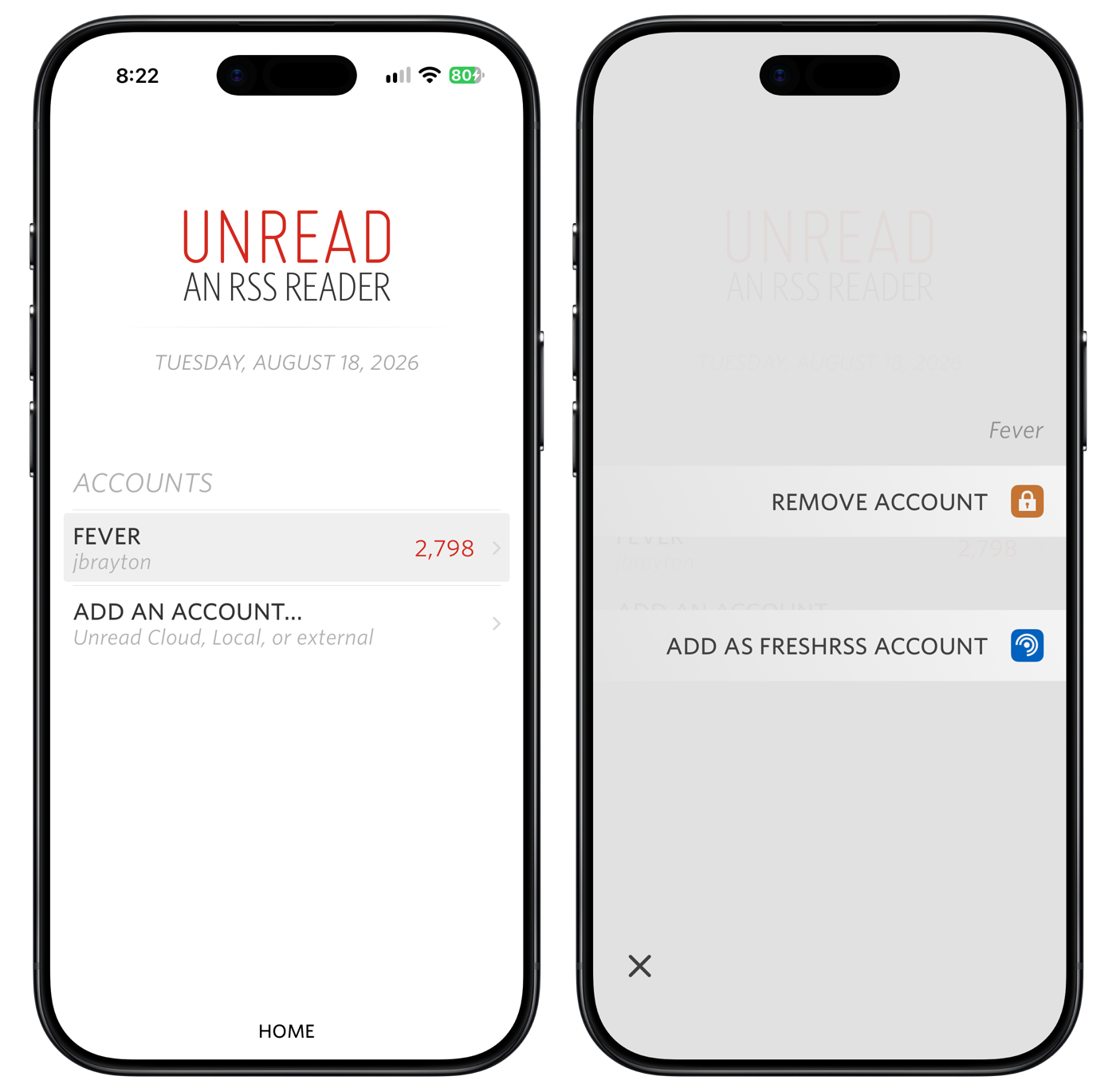
On iPhone and iPad, you can add a FreshRSS account or Miniflux account from an applicable Fever account by long pressing it on Unread’s home screen, and choosing Add as FreshRSS/Miniflux Account from the resulting menu.
Unread for Mac
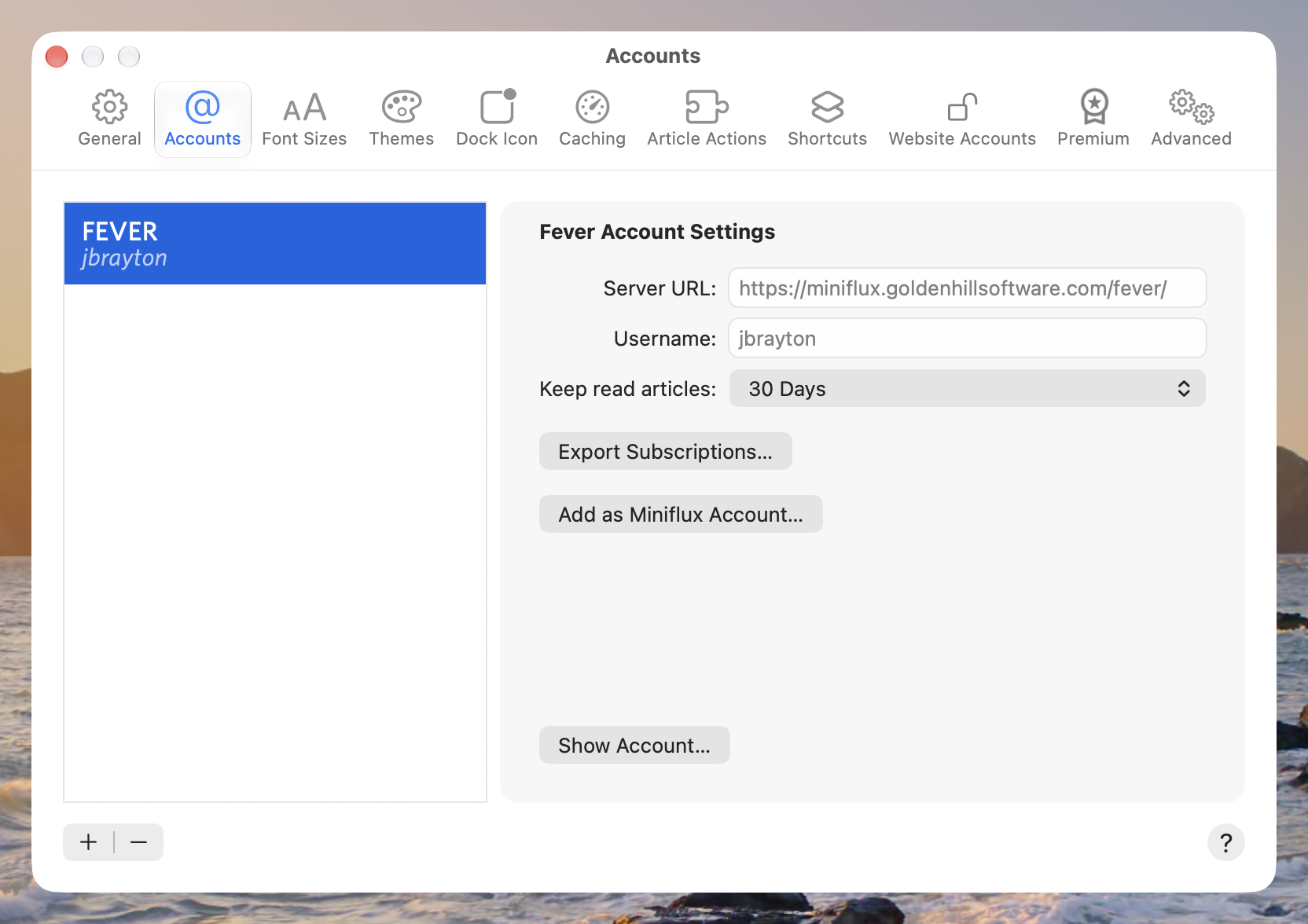
On Mac, you can do this by opening the Accounts pane of the Settings window, selecting the Fever account on the left, and then clicking the Add as FreshRSS/Miniflux Account button on the right.
FreshRSS
When adding a FreshRSS account based on a Fever account, Unread will validate that it can talk to the FreshRSS instance via the Google Reader API using the Fever account credentials. It will then add the FreshRSS account to Unread and begin syncing it. You will not need to enter URLs or credentials. Unread will also copy the feed-level feed text/webpage text settings from the Fever account to the FreshRSS account.
Miniflux
When adding a Miniflux account based on a Fever account, you will need to enter an API key. The screen prompting for an API key includes a button that brings you to the API Keys page of your FreshRSS server, where you can create or retrieve a key. After entering an API key, Unread will verify that the key works and that you have version 2.3.2 or later of Miniflux. Then it will add the Miniflux account to Unread and begin syncing it. Unread will also copy the feed-level feed text/webpage text settings from the Fever account to the Miniflux account.
